TV placement · 16:9
The finished work
Revival Rugs on TV.
Watch the featured ad, compare other approaches and open an individual creative link.
More from Revival Rugs
TV placement · 16:9
TV placement · 16:9
TV placement · 16:9
TV placement · 16:9
TV placement · 16:9
TV placement · 16:9
Revival Rugs · How it works
Revival Rugs, made for TV.
A collection of TV ads for Revival rugs and the Shell Rug. Compare product heroes, split-screen montages and sale cuts.
Rugs, shown in the room.
Watch the Revival Rugs collection ↗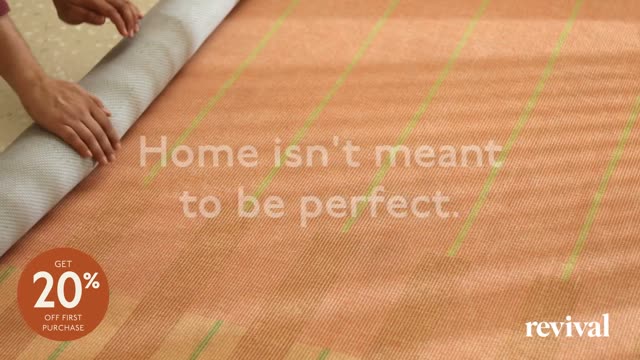
Walk through the process with real Revival Rugs creative. Brief and review examples are illustrative.
Our creative process
How Upscale AI Creative OS Works
We research the brand, review ad results, make an ad, get approval, then launch it.
Brand assets to finished ad
Brand assets
Review the ad
The process
See what happens at each step.
Choose a step to see what goes in and what comes out.
Step 01 / 10Brand + source assets
Research the brand
Led by Performance Agent
For Revival Rugs, start with rugs for the home. Gather the product references, brand footage and the available versions shown in this collection.
↓ What goes in
Product pages, brand assets, audience, offers and approved claims.
↗ What happens
Confirm product facts and claims, collect usable images and video, and check reporting access.
✓ What you review
A source checklist with unanswered access or usage questions.
Step 02 / 10Account + ad results
Compare ad performance
Led by Performance Agent
Compare Revival Rugs creative within one account and reporting period when results are available. The ads in this showcase are creative references; no campaign results are presented here.
↓ What goes in
Account report, date range and ads being compared.
↗ What happens
Compare spend, views, clicks and sales. Flag missing attribution data.
✓ What you review
Ad results, data source, date range and open questions.
Revival RugsCreative to compare
A 30-second product hero for Revival rugs.
View this Revival Rugs ad ↗Step 03 / 10Audience + story map
Find a story to test
Led by Creative Agent
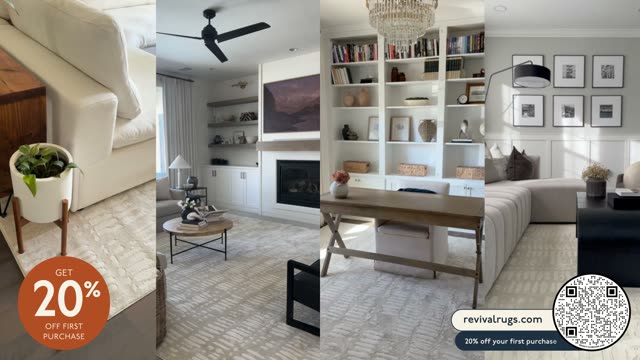
An example direction for Revival Rugs: Show the rug in a room. Move between room context and closer product views.
↓ What goes in
Audience research, current ads and performance findings.
↗ What happens
Map the stories current ads cover and identify gaps worth testing.
✓ What you review
A map of current ads, source examples and gaps to test.
Step 04 / 10Brief for review
Write the brief
Led by Creative Agent
Build a Revival Rugs brief around one opening, a clear product story and the ending. The brief shown here illustrates how that direction could be organized.
↓ What goes in
Selected audience and story, approved assets, claims and offer.
↗ What happens
Write the hook, scenes, copy and call to action. Match each scene to source footage.
✓ What you review
A Remix-format brief and PDF to review.
Revival RugsExample creative brief
A 30-second product hero for Revival rugs.
- Opening
- Show the rug in a room.
- Story
- Move between room context and closer product views.
- Ending
- Close on the featured rug or the current retail promotion.
Step 05 / 10Approved brief
Make the ad
Led by Editor Agent + Human Editor
The Revival Rugs finished ad shows the production output: product footage, composition, copy and sound brought together in a 16:9 edit.
↓ What goes in
Approved brief, source footage and brand assets.
↗ What happens
Edit the scenes, add copy and sound, then export the ad.
✓ What you review
An ad linked to its brief and source assets.
Step 06 / 10Ad review
Review the ad
Led by Advertiser
For Revival Rugs, the review focuses on the rug design, room imagery, readable pricing and the sale message.
↓ What goes in
The candidate ad, approved brief and source references.
↗ What you do
Record feedback against this exact ad file and request any changes.
✓ What comes out
Feedback and approval status for the ad.
Step 07 / 10New cut, new review
Build a new version
Led by Editor Agent + Human Editor
If Revival Rugs requests a change, revise the exact cut and bring it back for another review. Compare product, seasonal and format alternatives in the gallery below.
↓ What goes in
Agreed notes and the editable project.
↗ What happens
Apply the edits, export a new ad and review the new cut.
✓ What you review
A new ad with a change summary and its own review.
Step 08 / 10Named reviewer + access
Prepare the share link
Led by Creative Agent
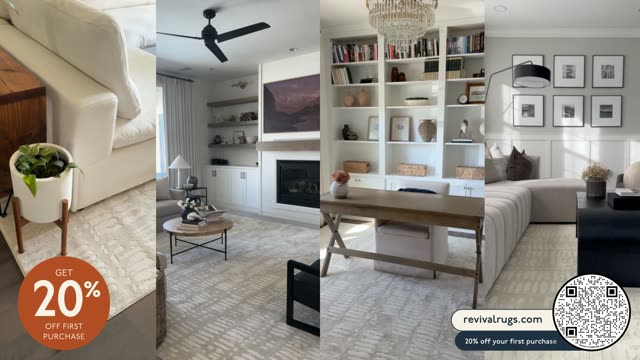
Share the current Revival Rugs version through its own creative link so feedback refers to the exact ad being reviewed.
↓ What goes in
The ad, named reviewers and permission to share.
↗ What happens
The Creative Agent checks reviewer access and shares the package only after permission to share.
✓ What comes out
The ad, brief and notes shared with the named reviewers.
Revival RugsOne version to review
A 30-second product hero for Revival rugs.
View this Revival Rugs ad ↗Step 09 / 10Human approval
Approve the final ad
Led by Advertiser
The Revival Rugs team confirms the final creative and the versions to use. A showcase example does not replace the brand’s approval for a new campaign.
↓ What goes in
Final ad, approved brief, source rights and destination.
↗ What you do
Review this exact version and record the advertiser’s approval or requested changes.
✓ What you review
Approve this exact file or send it back with requested changes.
Step 10 / 10After approval
Launch the approved ad
Led by Advertiser
The advertiser or agency uploads the approved Revival Rugs file to its chosen CTV platform, checks the destination and preview, and runs the campaign.
↓ What goes in
Approved ad, ad account, placement and destination URL.
↗ What happens
Your team uploads the approved creative and checks format, link, tracking and preview.
✓ What you review
Live ad, destination and launch confirmation.
Revival RugsYour team runs the ads
A 30-second product hero for Revival rugs.
View this Revival Rugs ad ↗Step 1 of 10
Your brand, next
Talk to the creative team →See what we could make with your assets.
Explore the CTV creative process with your team.