Ten minutes inside Creative OS. One email address in. Approved creatives and weekly performance reads out.
Zero to approved creatives, fast. Creative is usually what holds a brand back on streaming.
Fresh creatives, week over week. A steady flow of ads to test and scale on CTV and YouTube.
Walk through every screen
Set up · 1 of 17
Sign up in one screen
A work email, a website, a channel. That starts everything.
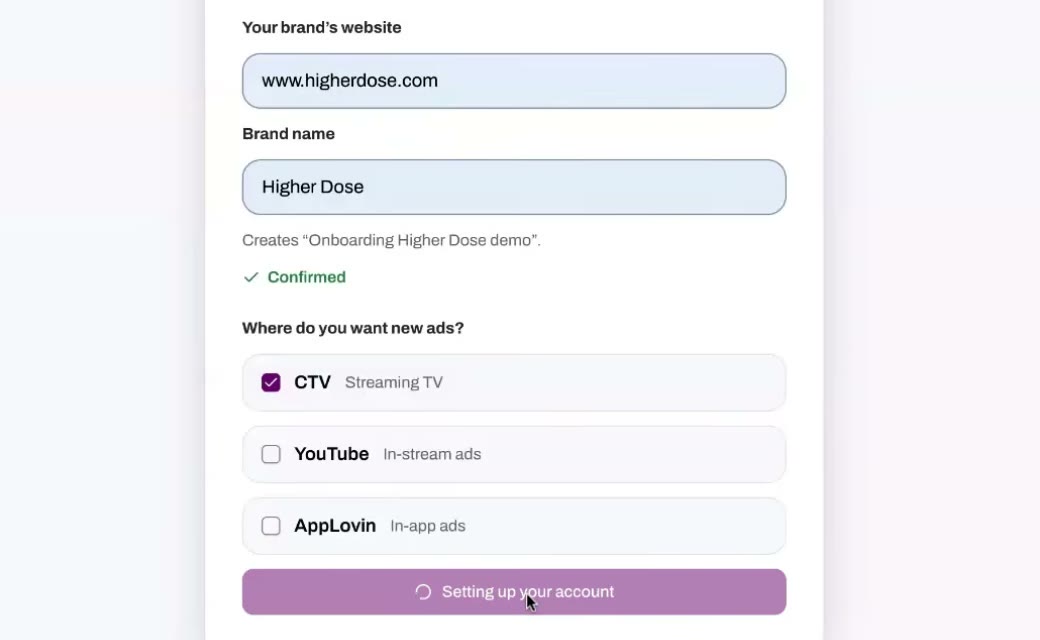
The brand enters its email. Creative OS picks up the domain from it.
The brand confirms its website and picks its channels.
Creative OS starts learning the brand as soon as the website is confirmed.
Set up · 2 of 17
Find the ads already running
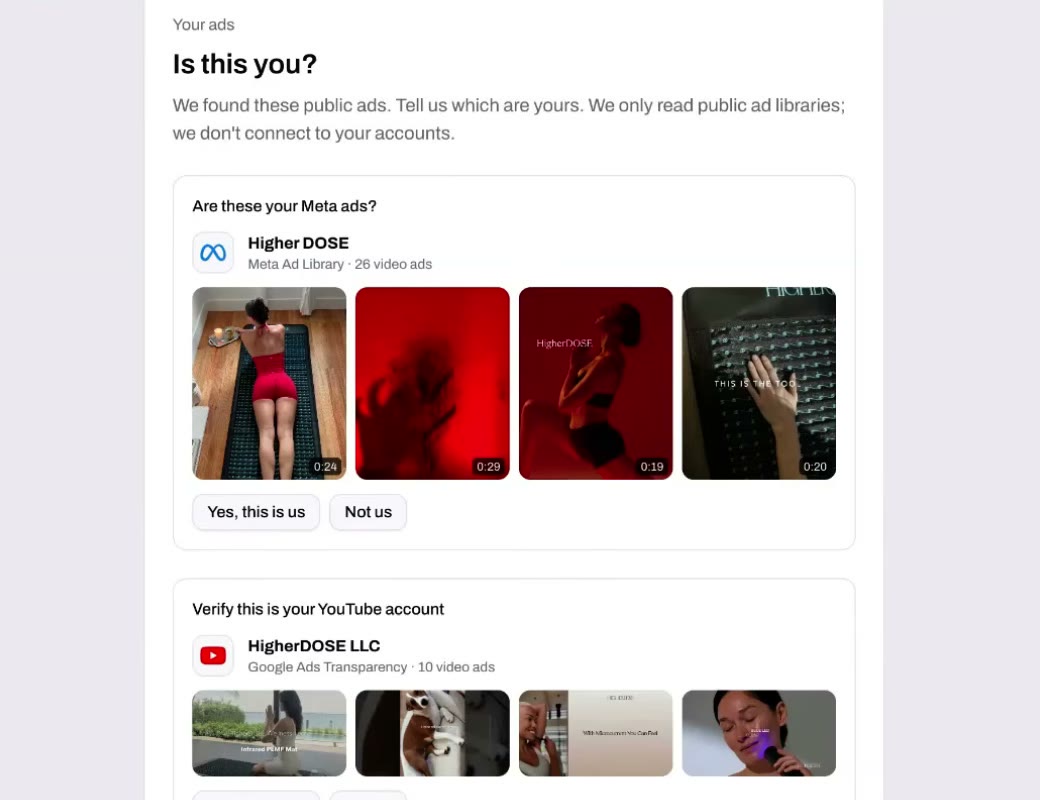
Creative OS finds the brand's current ads on Meta and Google/YouTube.
The brand confirms which ads are its own.
Those ads show what the brand runs today.
They become source material for new creatives.
Set up · 3 of 17
Add brand files
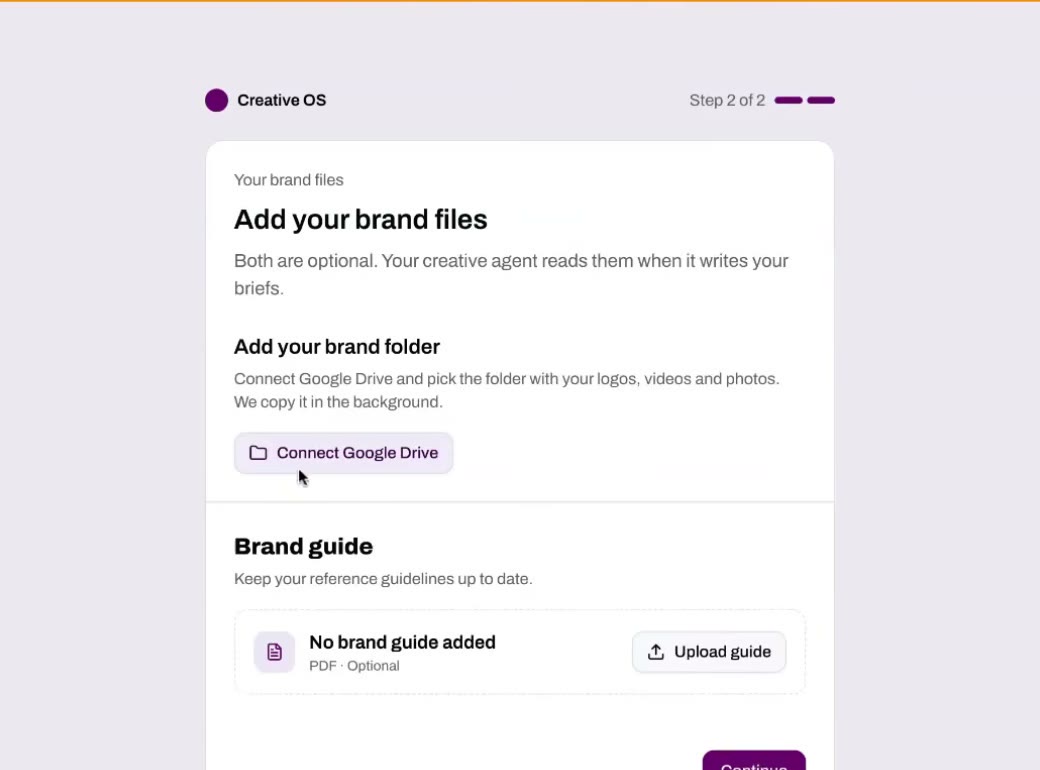
Connect the place your videos and images live. Upload the brand guide.
Works with Google Drive, Box, Dropbox and the other major content libraries.
Connecting a folder is optional.
The AI uses all of it to learn who the brand is and what assets it has.
Create · 4 of 17
The Creative Agent starts work
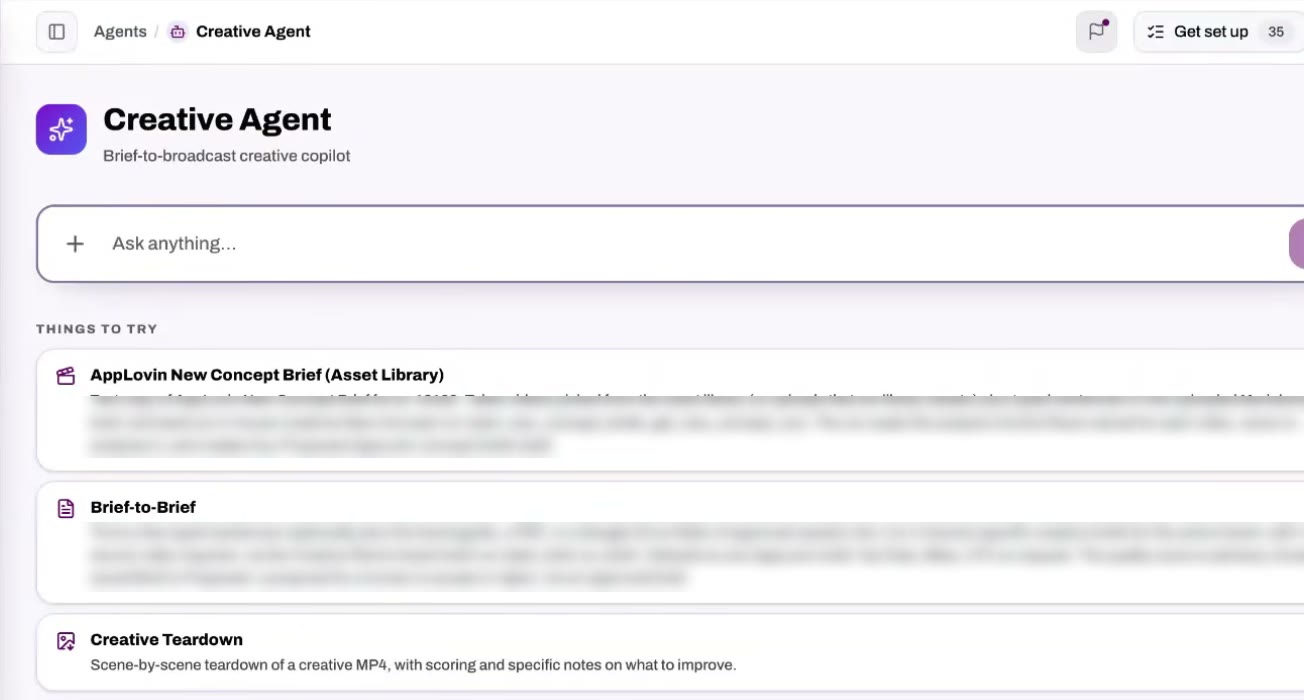
One more click and the brand is in Creative OS. Concepts are already being written.
The Creative Agent uses everything learned so far.
It has a set of skills. In this demo, four had already started.
It turns existing Meta and YouTube ads into streaming versions.
It draws on Upscale's library of templates and ad types that work.
Create · 5 of 17
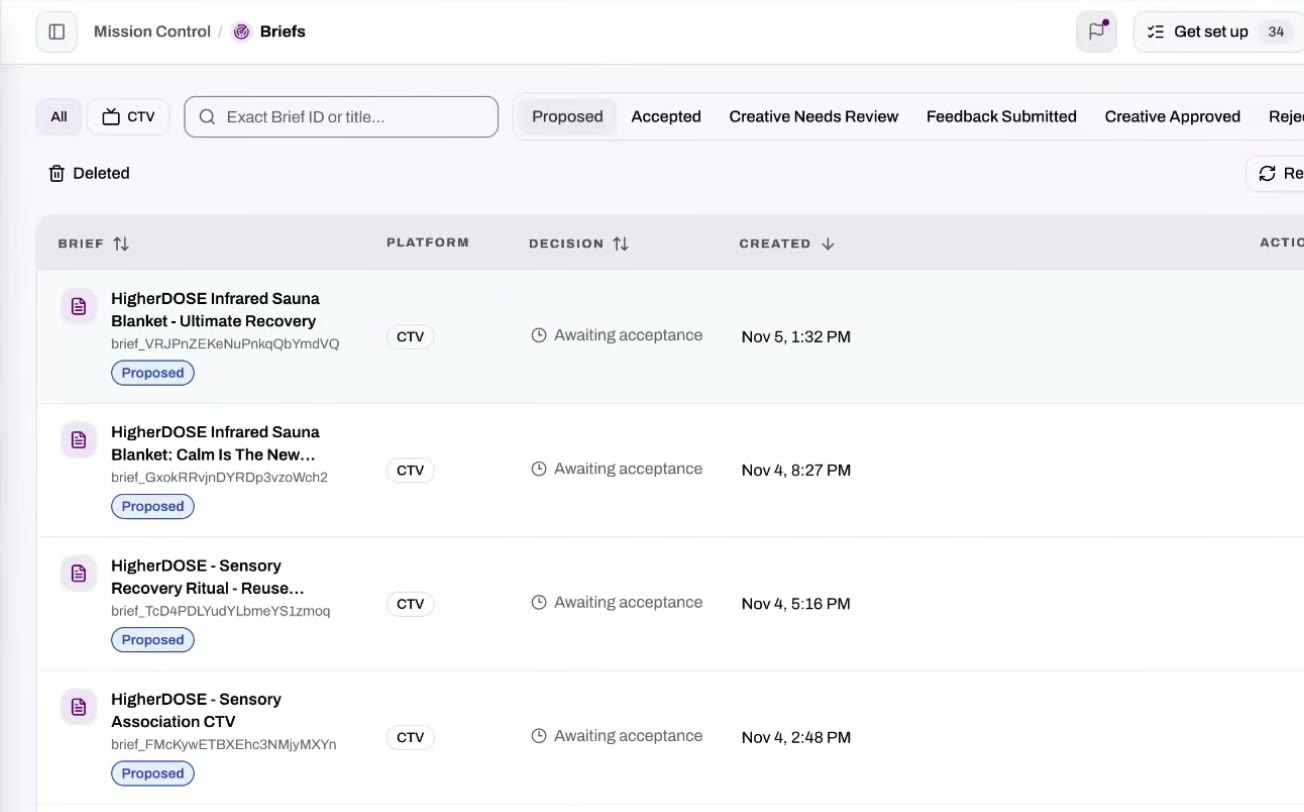
Briefs, ready to review
A full set of brief concepts appears without anyone asking for it.
The brand can review and accept briefs directly.
A partner can do it for them.
Once a brand has worked with Upscale for a while, briefs can go straight into production.
Create · 6 of 17
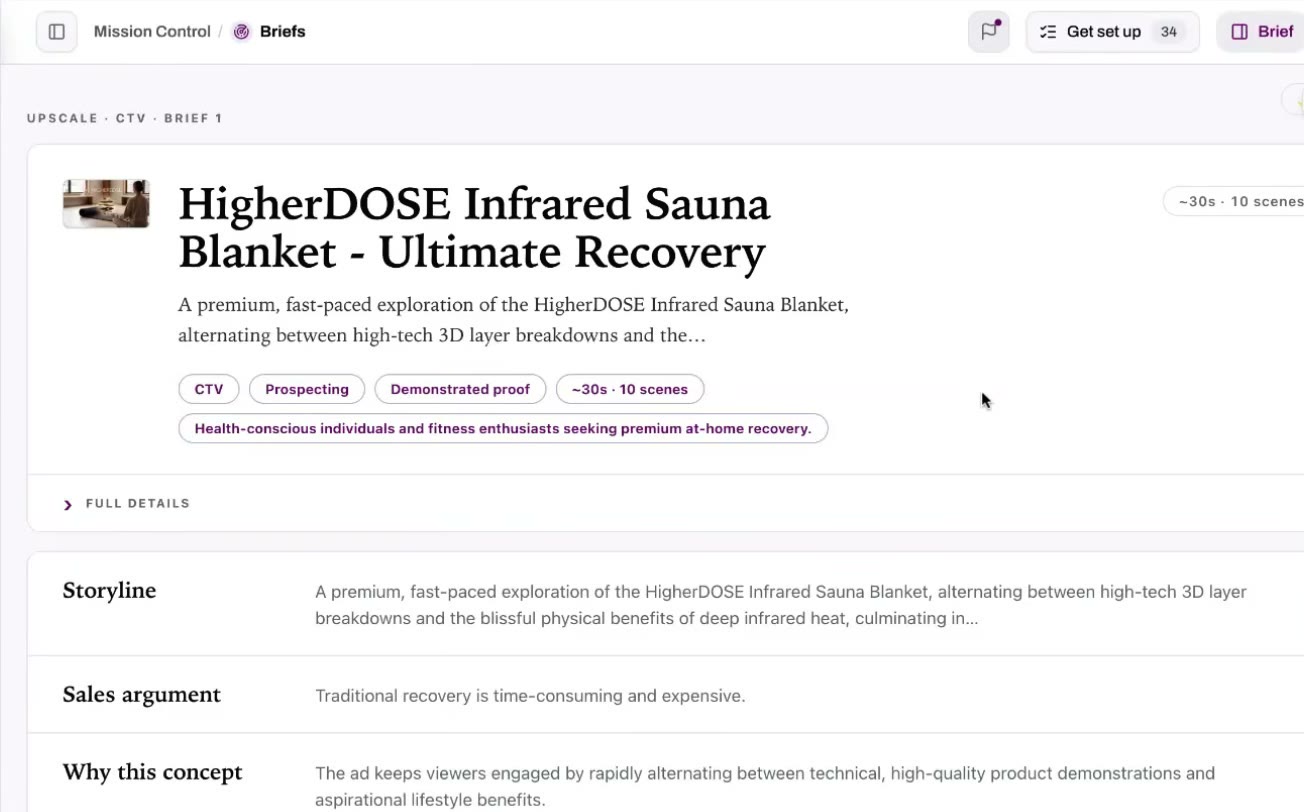
Inside a brief
Each brief is a fully built concept, not a one-line idea.
Names the type of creative.
Identifies the persona it speaks to.
Explains why this concept was developed.
Create · 7 of 17
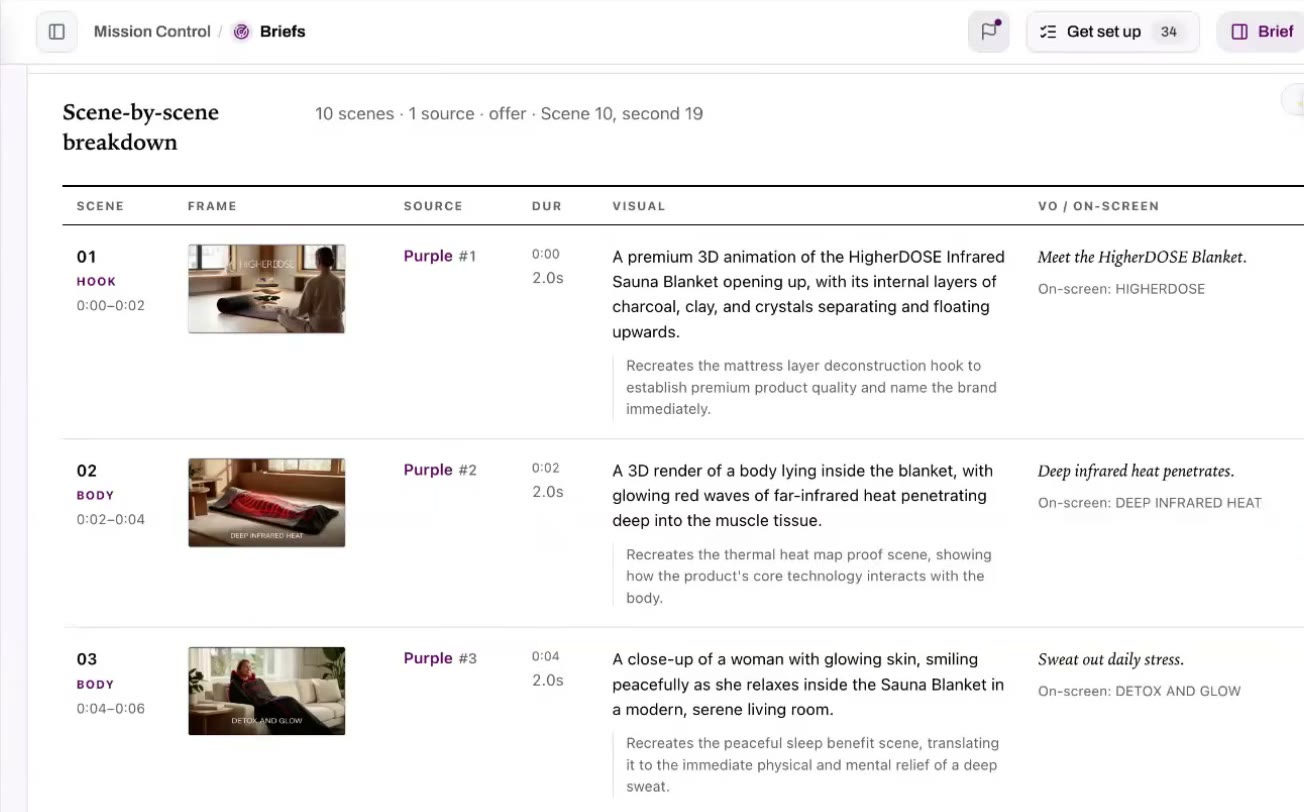
Scene by scene
Every scene is laid out, with its visual and its voiceover.
Each scene gets its own suggestion and breakdown.
This is the blueprint the AI uses to draft the video.
Create · 8 of 17
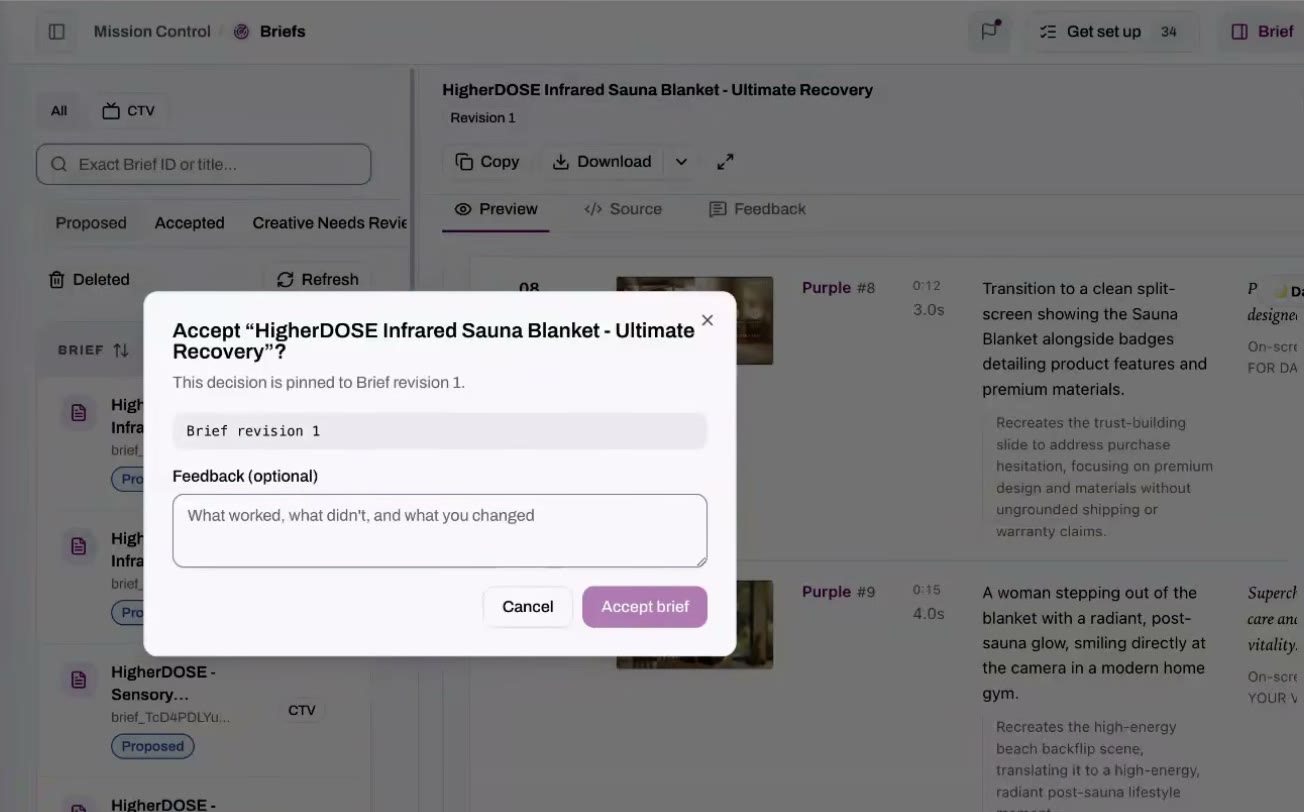
Accept or give feedback
Accept a brief, and say what you liked or didn't.
The brand accepts directly.
Feedback is optional.
Accepted briefs move into production.
Know the brand · 9 of 17
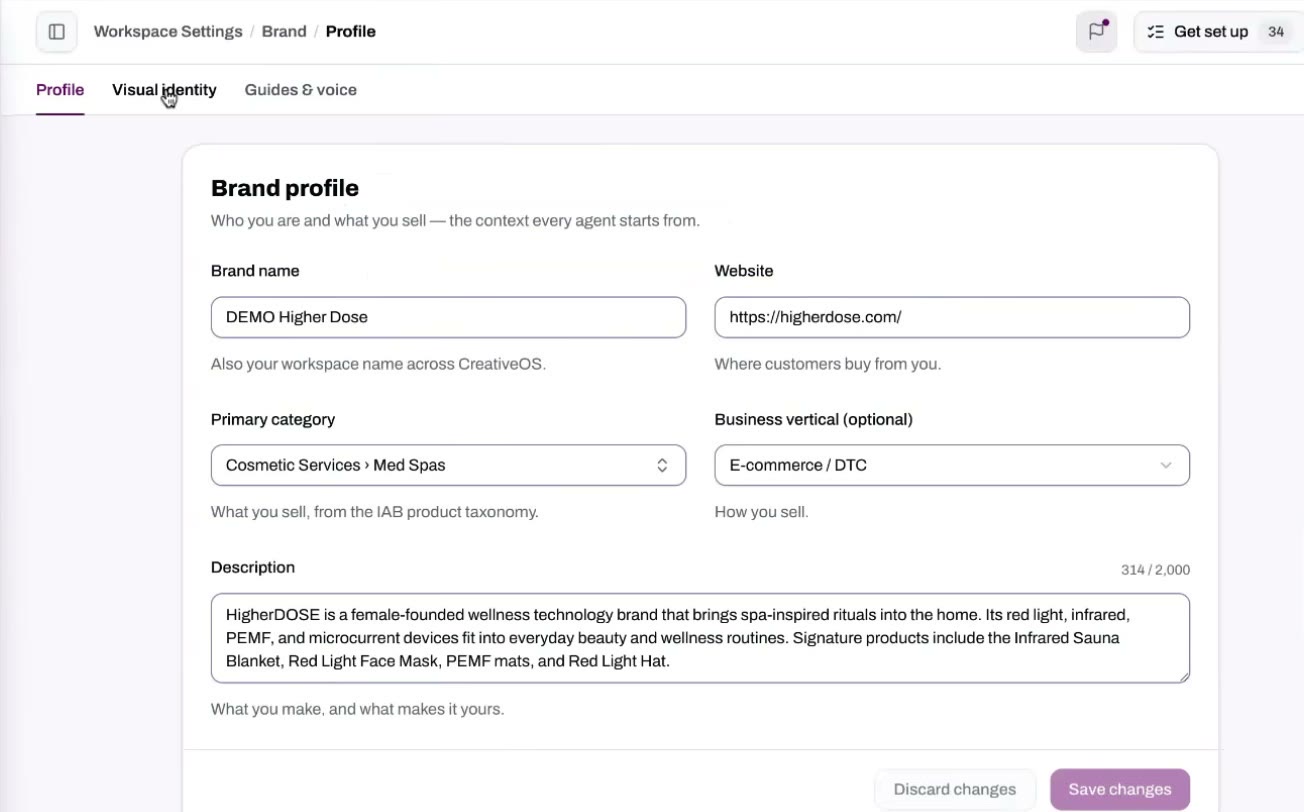
Brand profile and rules
Filled in automatically from the brand guide, the website and anything else available.
Creative OS writes a brand.md file for the AI to follow.
The brand or Upscale can record copy and media that can't be used.
That matters most in categories like wellness.
Know the brand · 10 of 17
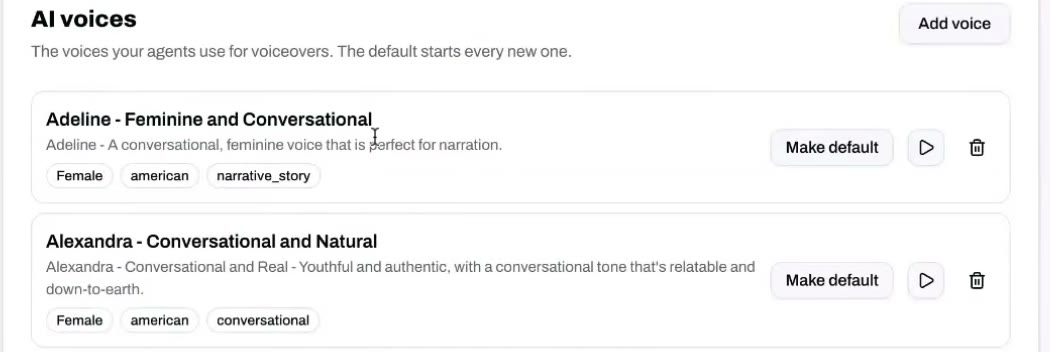
AI voices
Voices for the brand's creatives are picked ahead of time.
Creative OS preselects AI voices for use inside the creatives.
You can add a voice or change the default.
Know the brand · 11 of 17
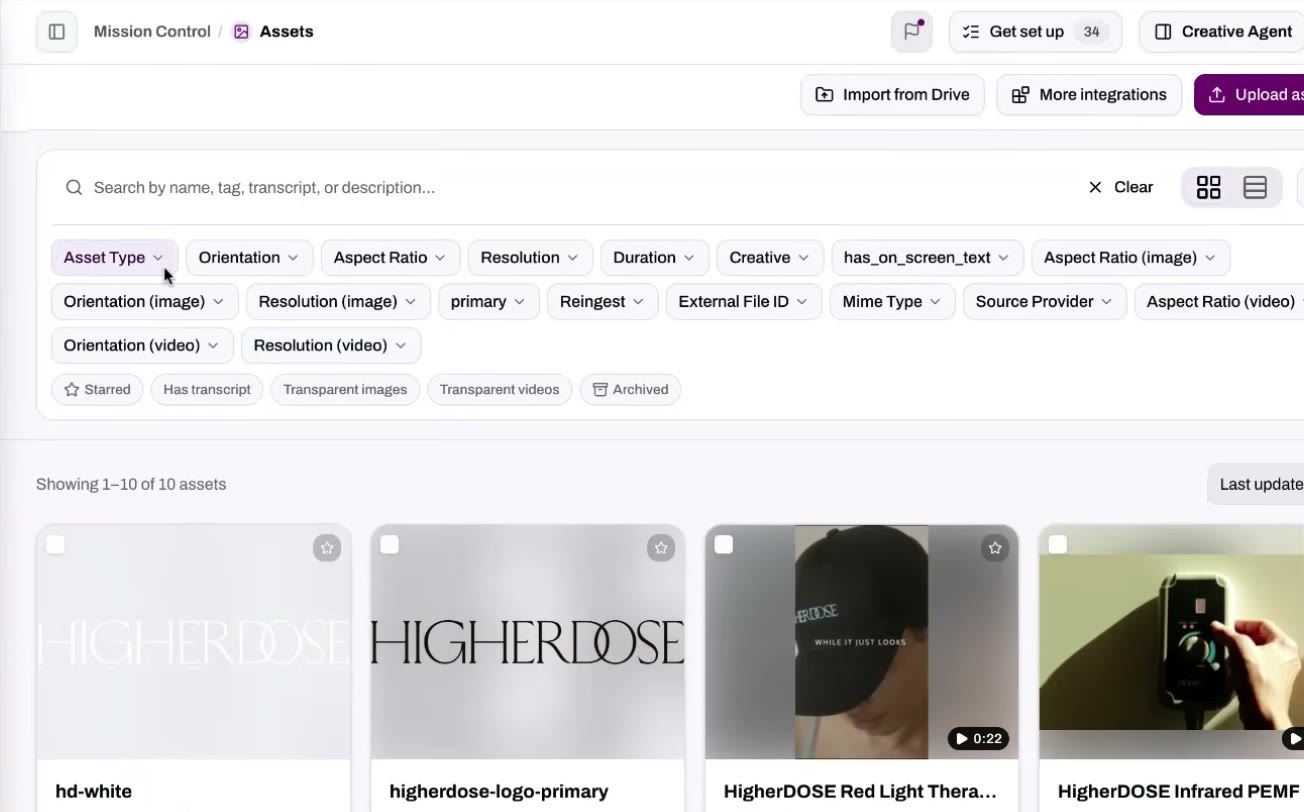
Searchable assets
Every asset pulled in can be searched, by people and by the AI.
Brands at scale bring in a huge number of assets.
Upscale's team and the AI system both find the exact asset they need.
Know the brand · 12 of 17
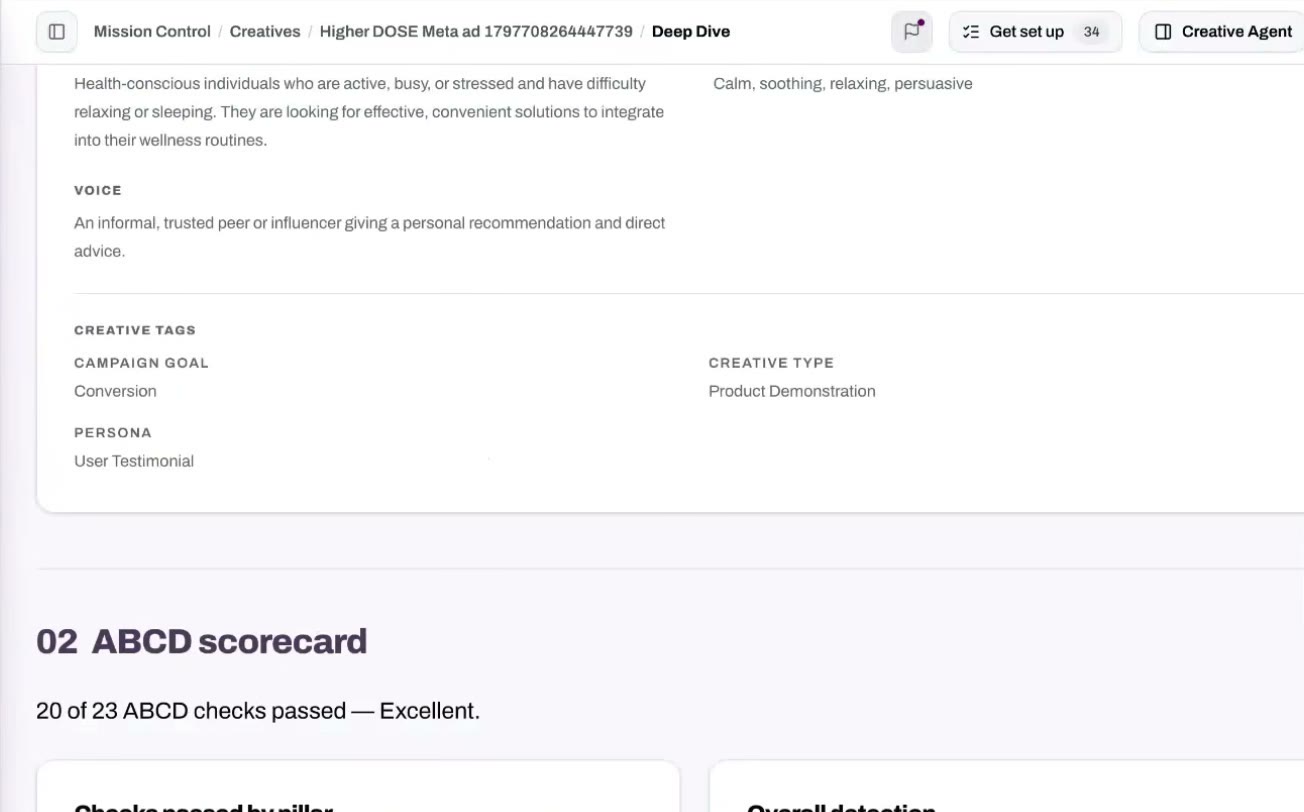
Every ad analyzed and scored
Ads pulled in are studied, not just stored.
Each ad is broken down scene by scene.
The analysis records how it works and what assets are in it.
Each ad is scored against Upscale's rubric and frameworks like ABCD.
All of it feeds the Creative Agent.
Know the brand · 13 of 17
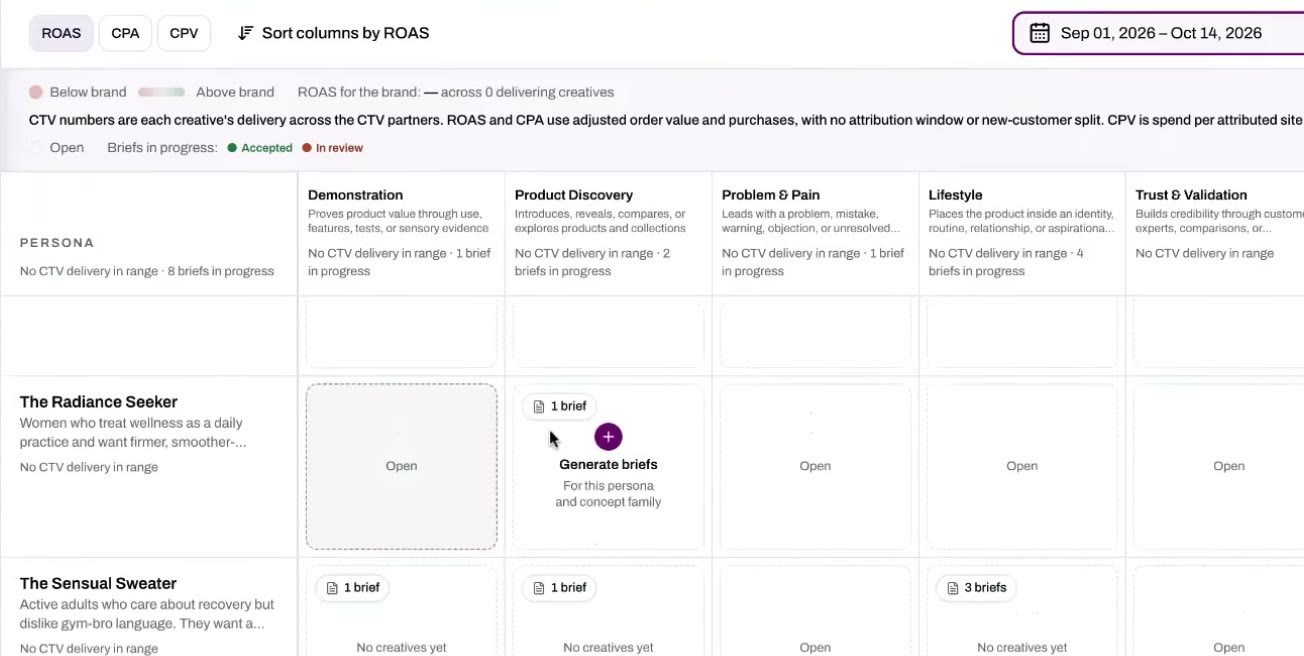
The Creative Matrix
Personas down the side. Creative types across the top.
Creative OS works out which personas the brand targets.
Every brief in progress shows where it falls on the matrix.
Scale · 14 of 17
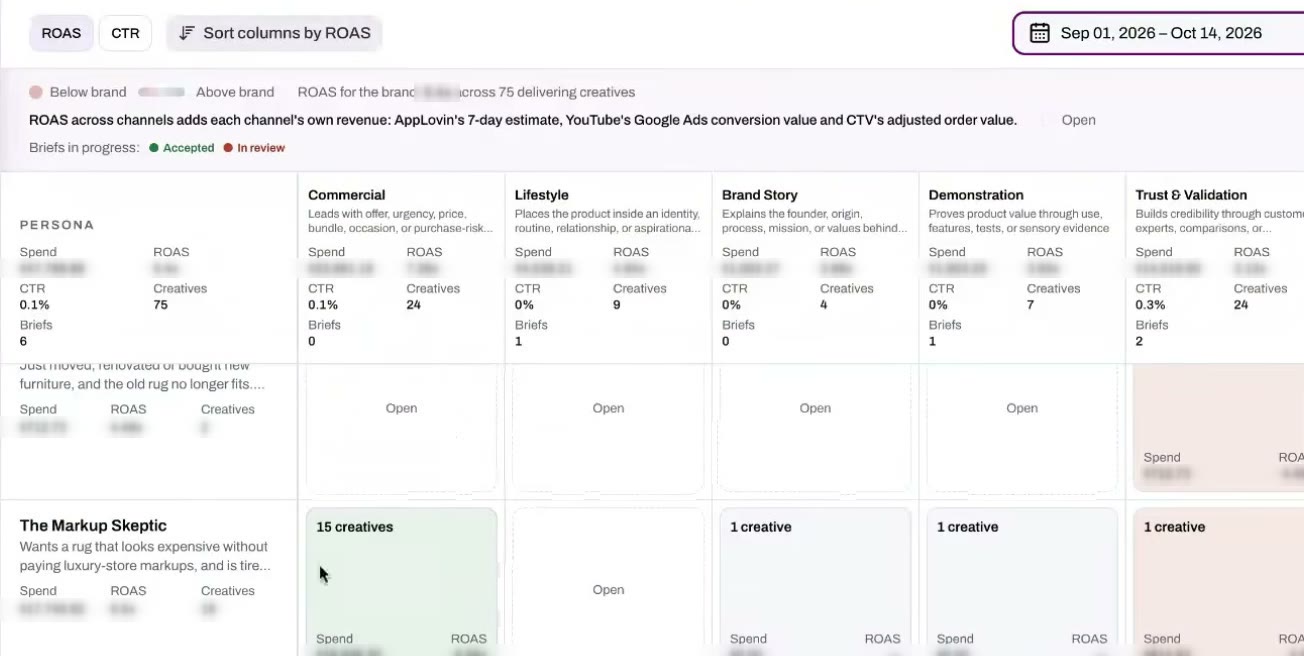
A live account: performance by creative
Revival Rugs, an Upscale customer: over 3x platform-reported ROAS.
See performance by persona, by concept type or by single creative.
Watch any creative from the same screen.
Built for creative teams and performance teams alike.
Scale · 15 of 17
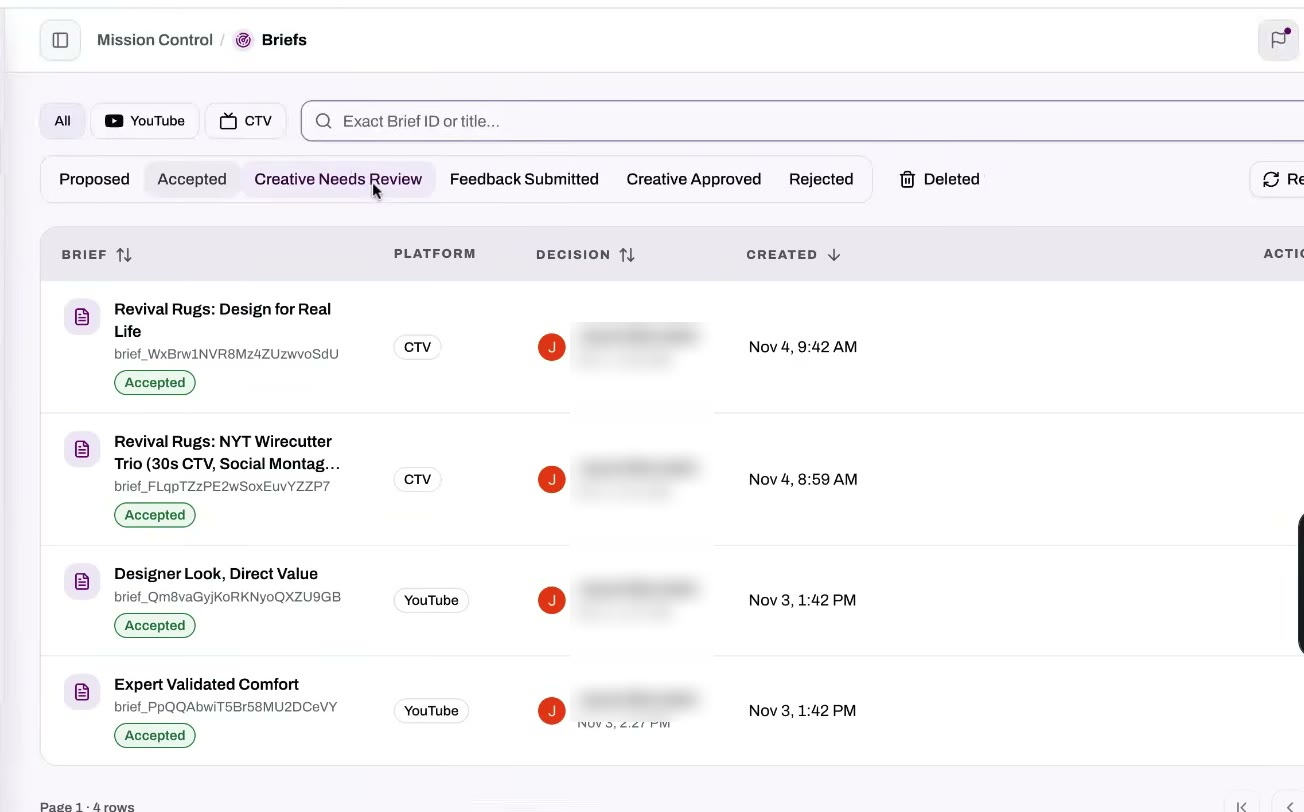
From proposed to approved
Every brief and every ad has a status.
Briefs start as proposed.
The brand or Upscale accepts them.
Finished creatives go to review.
The end state is approved creatives.
Scale · 16 of 17
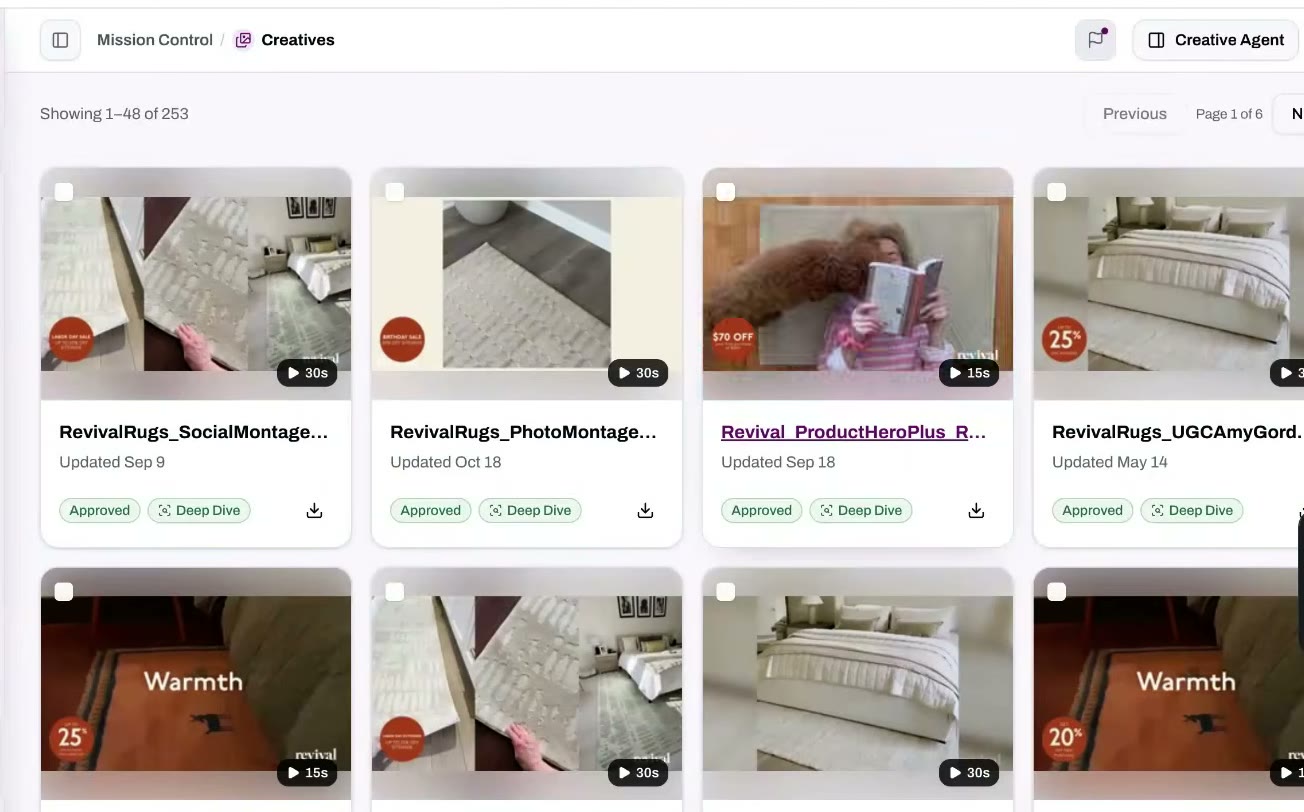
Hundreds of ads, always fed
This account holds 253 creatives and 6,932 assets.
New assets keep arriving and refreshing what can be made.
AI does the drafting.
Performance data on each creative informs what gets made next.
Scale · 17 of 17
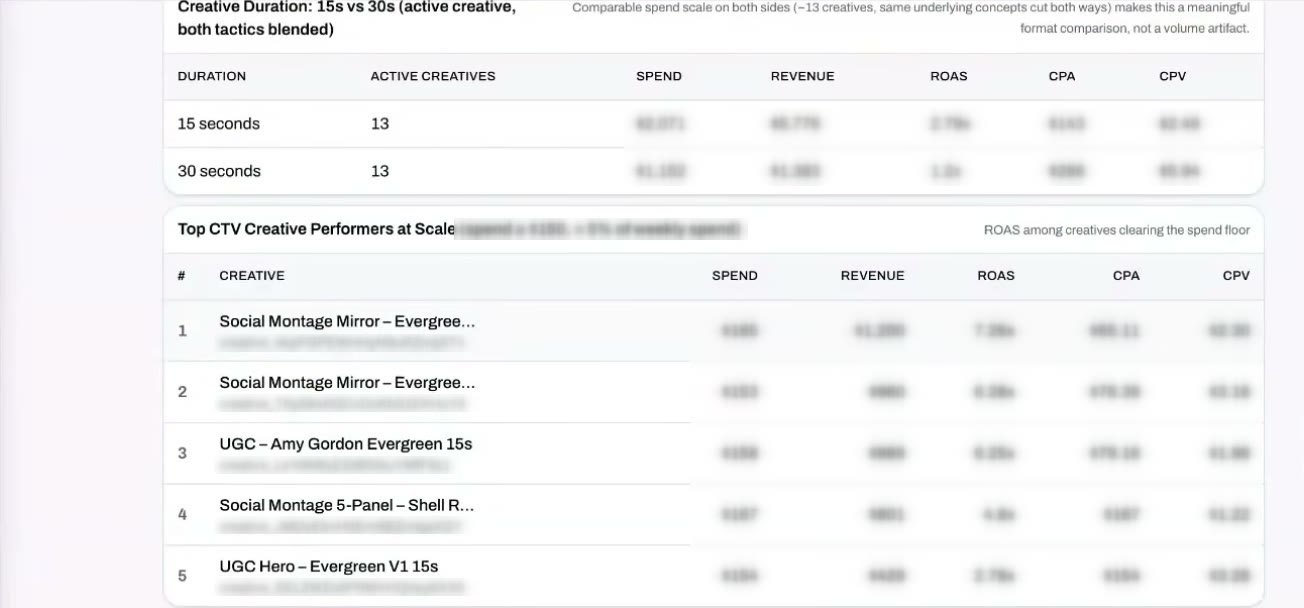
The Performance Agent
It reads the numbers and tells you what to do next.
Performance data is not required to start. Brands that scale do connect it.
The agent notifies the brand or agency proactively. This one runs about twice a week.
It names the best performers, what to scale and what to pause.
If it spots creative fatigue, it can start a new concept built on what has worked.
Read the full transcript
Hi, I'm Herman with the Upscale team. I wanted to do a quick demo of the Creative OS platform. We designed the Creative OS platform for brands and their agency partners and any other partners they have, because what we noticed is that when a brand wants to start advertising on streaming channels, very often creative is the bottleneck. So we designed Creative OS to get brands approved, high-quality videos faster, and then keep that fresh, performant creative coming for streaming channels like CTV and YouTube.
Those are really the two things we focus on. How can we quickly get a brand from zero to having approved creatives? And how do we make that a production process that produces performance creatives to test and to scale, week over week, month over month?
For the purpose of the demo, I'm going to use a DTC brand called Higher Dose, which operates in the wellness space. Let's jump over to onboarding. We make this as easy as possible. The brand puts in its email, and we pick up the brand domain from that. Once the brand has confirmed its website, we ask whether it wants to be activated on multiple channels. For the demo, we'll stick with CTV. As soon as we get confirmation of the website, we start learning more about the brand automatically.
After the quick confirmation of the email, the brand ends up here, and we start guiding it through a process. The first thing we do is locate Higher Dose's existing creatives, both on Meta and on Google/YouTube. This helps us understand what creatives they're currently using, and we can start pulling those creatives as a source for developing new ones. The brand has a quick chance to confirm that.
Optionally, we can also connect with wherever the brand keeps the majority of its assets, whether that's videos, images or anything else. We offer Google Drive, Box, Dropbox, all the major content repositories for brands. I'll skip this step. I'll also upload the brand guide for Higher Dose. All of this prepares the AI to figure out who the brand is, what its assets are and how to start making creatives for it.
Once that's in place, I click continue one more time, and immediately they get dropped into Creative OS. As you can see, we're already generating creative concepts based on everything we currently know. It happens that quickly.
The real power here is the Creative Agent. It's our AI agent that uses all this information, and it has access to a whole set of skills. Four of these skills have already been kicked off. We'll use their existing Meta or YouTube creatives to generate the CTV or streaming versions. We can also look at examples from our own library of templates and other ad types that really work, and start generating briefs for Higher Dose.
If I click over on briefs, we have now automatically generated a whole bunch of brief concepts for the brand to review. Reviewing and accepting these briefs can be done by the brand directly or by a partner, and if the brand has been working with us for some time, we can automatically push them into the production process.
Let's dive in and see what you're getting with these briefs. They're really fully built-out concepts. We talk specifically about the type of creative. We identify the persona. There's a lot of detail about why we developed this concept. Then it goes into specific scene-by-scene suggestions and breakdowns, and this is the blueprint we use to have the AI draft the video creative.
The brand can go ahead and accept directly, and provide feedback on things it liked in particular or didn't like. Very quickly you can have a number of accepted creatives entering the production process.
A couple of other things we do automatically in the background. We understand who the brand is. All of this is automatically populated by parsing the brand guide, the website and anything else we have access to. Because we are an AI system, we also create a brand.md file. This is a great place for brands or us to capture things you cannot use in terms of copy or media. This happens quite a bit, particularly in the wellness space. We also preselect some AI voices to be used inside the creative.
I skipped the Drive sync part, but for brands at scale we can pull in a huge amount of assets and allow searching, so both our team and the AI system can find the exact assets they're looking for.
I'll also quickly show you the creatives we pulled in from these other systems. We're not just pulling them in to have access to the video. We analyze the creative itself, breaking it down scene by scene to understand how it's being used and what assets are in there. We also score it against our own rubric. We use things like ABCD and others to figure out what works about this creative and what doesn't. All of that is fed into the Creative Agent to make fantastic ads.
A lot of what brands also get value out of is the Creative Matrix. We automatically figure out the personas a brand is targeting, and for briefs we're working on, you can see where they fall in the matrix.
I'll swap over to a full account: one of our actual customers, Revival Rugs. This gives you an idea of what the system looks like at scale. Here you're talking about hundreds of creatives. We're pulling in the data, so the brand has a view by persona, by concept type, or down to the individual creative, of the performance metrics for each one. They can also view the creative. This is useful both for creative teams and for people focused on performance.
In a production system, you'll also see briefs and concepts moving all the way from proposed, to either the brand or ourselves accepting them, to creatives that need review, and ultimately to approved creatives.
For a built-out account, assets constantly come in and feed what we can make, and they constantly get refreshed. We're analyzing tons of their creatives. For someone like Revival, you're talking about hundreds of ads in the system. We are doing AI drafting, but a lot of this starts to be based on the performance data behind each of the creatives we're monitoring, and we use that to inform what we make next.
The final thing I'll mention: we don't require performance data, although all the brands that start scaling with us do have it, down to a pretty detailed level. A lot of what we care about is specifically creative performance, so we provide very detailed statistics.
We also have a Performance Agent, which can proactively notify the brand or agency partner about specific statistics. This one runs once or twice a week. It says: here's your best-performing creative, here are creatives you may want to scale, and here are ones that aren't working that you may want to pause. It can even be a starting point for a new concept: maybe you're experiencing creative fatigue, but this type of creative has worked well for you, so why don't you make a new one?
I know that's a very fast overview. Reach out if you have any questions. Hopefully this gives you an idea of the power of the Creative OS platform. Thank you.